Kirby’s Picross – A Homebrew Game‑Boy Puzzle game
I personally like to keep my brain sharp along with programming skills. I’ve always wanted to make a game but I found game engines to be too abstract from the actual programming that’s going on. It’s great for people super serious about making games but I know I’m not. I have ideas and bounce around with them everywhere, this is one of those ideas that I kept bouncing back to.
About the Game
Kirby’s Picross is a self‑made Game‑Boy title that I’m building from scratch—sprites, C code, music. Everything.
The goal: a playable Picross (nonogram) puzzle game that runs on an authentic GB cartridge (or a modern GBA clone) and feels like a homebrew classic.
It’s something I want to finish and polish one day to put inside a real DMG Gameboy. The novelty of the idea is what draws me to it along with just passion for the project.
How the idea got started, and developed
I pretty much started with the idea that I wanted to make a simple game boy game, I watched a few videos over gameboy development and followed a lot of tutorials. I did both z80 Assembly, and Game Boy Development Kit (GBDK) C programming. I settled on GBDK since if I really wanted to commit I’d better write in a language I’m more comfortable with. You can still write in line assembly but I heard that GBDK 2020 has massive overhauls and was more reliable to use, especially for linux so I stuck to that. I searched online for a general tool chain I could use for development, a tool for programming which I have is vscodium / neovim was fine there’s plugins for both that help with the task called Language Server Protocols (LSP). But for sprite development the space was kind of empty, there’s lots of tools for windows that would work great like yychr and others but I’m on linux so I’m kinda limited.
I would go ahead and use Aseprite then use someones script that would convert the sprites I would make into game boy tiles and tile maps, but this was kinda iffy and never worked how I would have liked. When developing sprites you’re limited to 4 color pallets, one of them technically not being a color but a transparency layer which would act as the brightest color. Going from bright green to dark green. Since there’s hardware constraints it was 2bbp image assets with 8x8 tiles or 8x16 depending on the mode that you program the game to be for certain sprites and models. If you use too many tiles you have to manually split it across the two Object Attribute Memorys (OAM).
These OAMs can only hold 40 sprites and each sprite can only reference a single tile index. When I added more than a handful of “hint numbers” for the Picross grid, the sprites started flickering or disappearing—because I had exhausted the OAM slots and had to juggle the Y‑offset bits by hand.
On Windows, the GB SDK ships with “png2gb” utilities that do all the heavy lifting for you. On my LnOS (arch based) laptop, I had to write Bash and Lua wrappers around img2gb and web‑chr myself, then tweak the resulting C arrays until they fit the GBDK linker script. That extra round‑trip was a constant source of bugs (e.g., missing a leading 0x caused a silent “garbage” sprite).
-
Memory‑mapped drawing – The GB stores a tilemap in VRAM and then maps that map into the 32‑pixel window. I expected
tilemap[x][y] = sprite_indexto work, but the hardware required me to calculate the VRAM address manually (usingVRAM_TILE_MAP_ADDR + y*32 + x), flip bits for vertical offset, and wrap the Y‑offset into the sprite attribute table. A single off‑by‑one error would “black‑out” an entire row of the grid. -
Limited runtime memory – I had only a few kilobytes for all the tiles, the engine, and the hint calculations. That meant I had to pack 64 × 16 puzzle tiles into a single 64‑pixel strip, write a custom script to split the PNG into exactly 8‑pixel‑wide columns, and then write the engine to treat each 8‑pixel block as a single “cell.” A stray
movinstruction in the assembly broke the entire frame buffer mapping and forced me to debug 32‑bit register writes that I’d never seen before.
When programming on the GameBoy it really introduces you to the world of embedded programming and working around constraints. The initial how do I even get things to draw to screen and making things appear how I want them is 100% the hardest part, things like the logic part of the game for picross is easier to get to since that logic is documented online, but mapping sprites and tiles has less documentation on GDBK.
Status
Current status is kinda shaky, but still impressive nonetheless. I have something actually working, start screen and a level selection with a game board!
Repository & Code
| Location | Description |
|---|---|
GitHub (Gitea) – baytizzel/kirbys-picross | Full source tree, releases, CI pipeline |
| WireGuard mirror | Local, encrypted copy for quick access |
Note: The repository contains a complete build‑chain (GBDK, custom linker scripts, build scripts) so you can compile the ROM yourself.
File Structure
src/                     # C source – the heart of the game
├── main.c               # Main loop, state machine
├── picross_engine.c/h   # Puzzle logic (grid, hints, checks)
└── start_data/          # Pre‑generated graphics data
    ├── kirby_title_new.c/h   # Optimised title screen
    ├── level_select_clean.c/h   # Level‑select UI
    ├── level_cursor.c/h         # Pencil cursor sprite
    ├── picross_tiles.c/h        # Gameplay tileset
    └── press_start_text.c/h     # “Press Start” animation

assets/                  # Human‑readable artwork & tools
├── start_screen.png
├── level_select_screen.png
├── level_select_objs.png
├── tilesheet_kirby.png
├── *.aseprite              # Aseprite source files
├── optimize-gb-image.sh    # PNG → GB‑ready (lzw) script
├── gb-tilemap-png2asset.sh # Tilemap → C array
├── gb-tileset-png2asset.sh # Tileset → C array
├── create-picross-fixed.sh # Generate 64×16 puzzle tiles
└── picross_tileset.png     # Final 64×16 puzzle tiles
🔎 Development Timeline
All dates are in the format
mm/dd/yy, hh:mm (AM/PM). Times are local.
| Date & Time | Milestone | Quick Notes |
|---|---|---|
| 11/26/25, 11:39 PM | First pixel art in Aseprite | “It looks terrible, I love it” – proof of concept. |
| 11/26/25, 11:57 PM | Created tilemap → screen mapping example | Visualised mapping logic. |
| 11/27/25, 12:02 AM | Realised code failure → pivot to debugging | “This is me failing.” |
| 11/27/25, 11:26 AM | Discovered Aseprite docs & API | Plan to automate export. |
| 11/27/25, 3:02 PM | Began Lua script to convert Aseprite data → C arrays | Clean, reusable pipeline. |
| 12/25/25, 5:26 AM | Shared GitHub repo for “making‑art” README | Added a visual reference. |
| 12/25/25, 5:34 AM | Pointed to img2gb tool | Alternative PNG‑to‑tileset converter. |
| 12/25/25, 6:21 AM | Linked web‑based chr converter | Faster prototyping. |
| 02/04/26 | Picross puzzle map | quick prototype of gamestate. |
Observation: The project moved from drawing → tool‑automation → compilation of code over a month.
Technical Stack
| Layer | Tools / Libraries |
|---|---|
| Graphics | Aseprite (layers → tilesets / tilemaps), img2gb, web‑chr, optimize-gb-image.sh |
| Language | C (GBDK‑2020), custom assembler (asm/) for low‑level optimisations |
| Build | Makefile + custom scripts (gb-tilemap-png2asset.sh, gb-tileset-png2asset.sh) |
| Hardware | GameBoy DMG/Color/GBA |
Visuals
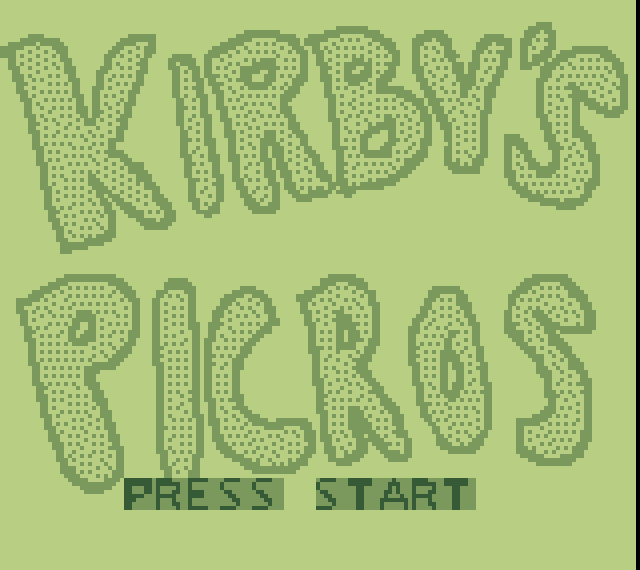
Snapshots taken from the GBA clone during a test run.
Title Screen

Level Select
Clean level‑selection UI; the cursor is a separate sprite.
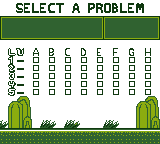
Note: All images are exported with the
optimize-gb-image.shscript to fit the GB’s limited palette and resolution.
Assets


Inside Sameboy
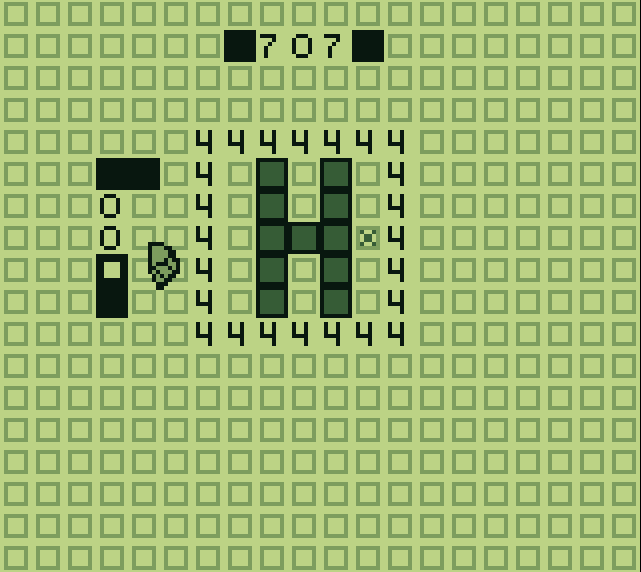
🤖 AI Assistance
I intentionally limit AI‑generated code to preserve the learning experience.
When I use AI, it is for:
- Quick snippets to explore unfamiliar syntax (e.g., GBDK‑specific macros).
- Generating boilerplate assembly for memory‑mapped IO.
- Automating repetitive tasks where no Linux tool exists (e.g., converting PNG to GB tilemap).
The bulk of the logic—game engine, puzzle solver, input handling—is handwritten.
Author: Betim Hodza
A Cybersecurity, programmer with a love for pixel art and classic hardware. Striving to learn everything from C to assembly on a Game‑Boy platform.
Visit my github here: Betim-Hodza (Betim H) · GitHub
Future items
todo
- I want to make a new level screen with a kirby sprite in the top left corner with an animation of him blinking every few seconds like he’s watching you play.
- make him change his face when a move is done incorrectly
- make a happy face when level is beaten and have some sort of animation for wining a level
- make background art for the level